


Introducing SLAB: The first dedicated hardware controller for Serato Studio – Intuitive and responsive MIDI pad controller enables rapid music production for creators
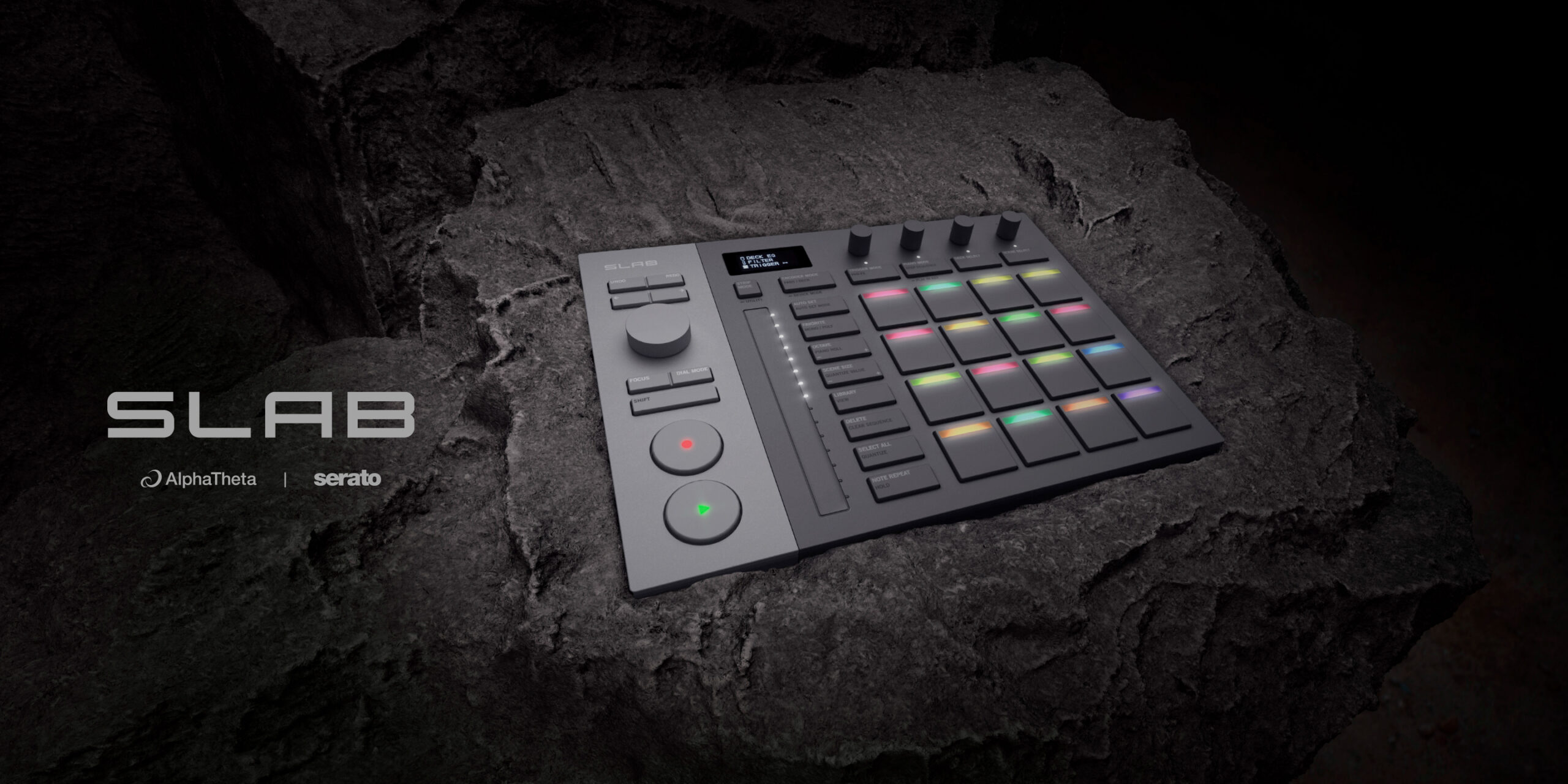
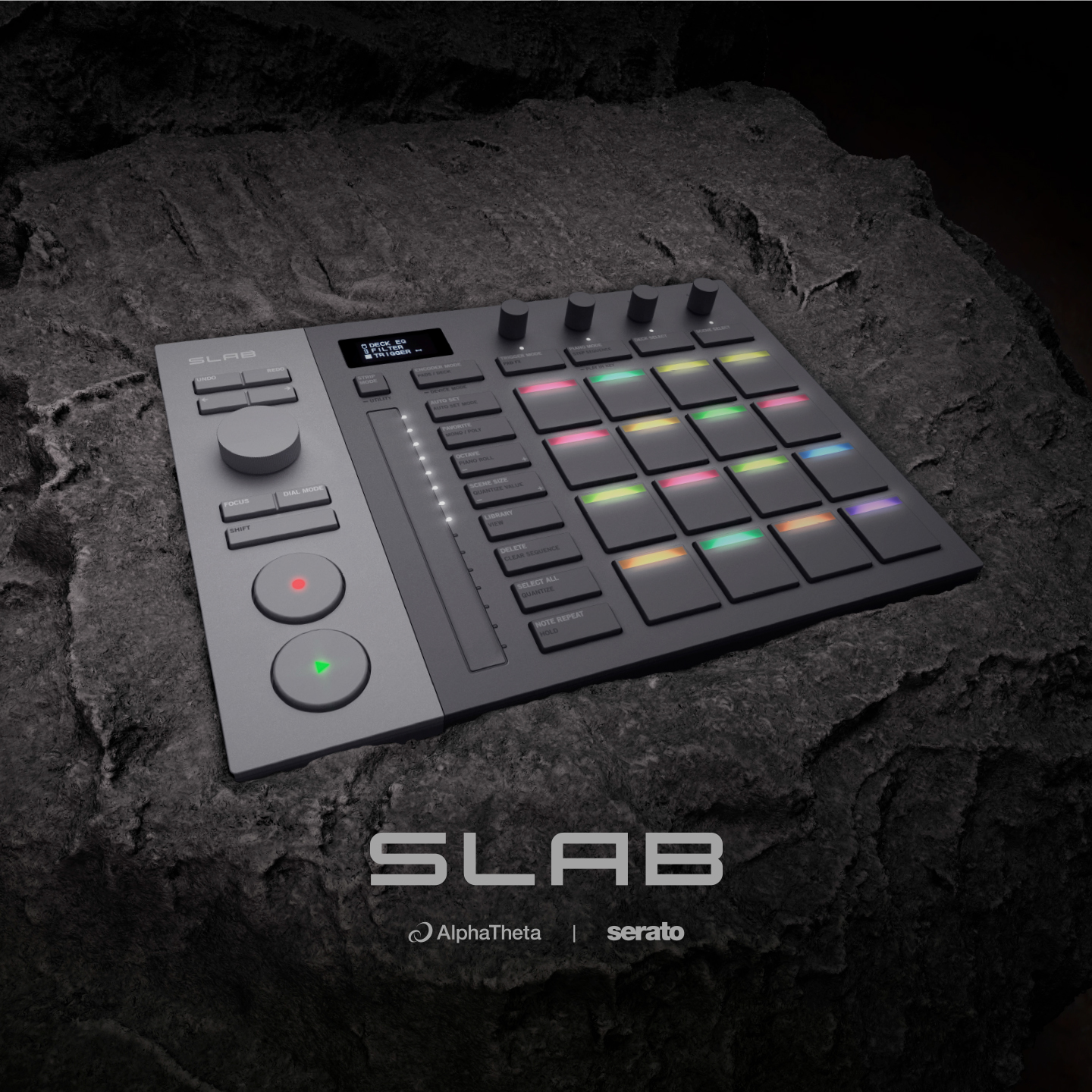
AlphaTheta, in collaboration with Serato, announces SLAB – the first-ever piece of MIDI hardware specifically designed to control Serato Studio. If you make music with Serato, it’s time to unlock a new level of creative potential.
Serato Studio is a powerful beat-making digital audio workstation (DAW) that gives producers and DJs everything they need to create album-quality beats and remixes with a modern, sample-based workflow: from slick sampling and stem separation to drum sequencing, virtual instruments, audio tracks, effects, and exclusive sound packs. SLAB has been designed as a dedicated controller to enhance the creative power of Serato Studio. As soon as SLAB is plugged in, Serato Studio unlocks in full, for free – putting powerful, hands-on production within everyone’s reach.
Commenting on the release of SLAB, Yoshinori Kataoka, President and CEO of AlphaTheta Corporation, said:
“We’re so excited to announce the launch of SLAB. AlphaTheta and Serato have been working together closely since 2011, and this product embodies both companies’ deep passion for music. This product was designed to empower DJs, artists, and creators to explore new creative possibilities and more intuitive ways to make music. From people who want to make their first-ever track to experienced producers, we can’t wait to see how music lovers around the world will use SLAB to turn their ideas into sound.”
Young Ly, CEO of Serato, also shared his thoughts: “For 3 decades, Serato has been a leader in providing best-in-class software for DJs and music producers, and now we’re incredibly excited to dive into the world of hardware by working with AlphaTheta to co-develop SLAB, the first native controller for Serato Studio. Our artist community is at the forefront of everything we do and, given our track record of successful collaboration with AlphaTheta, we knew they were the right partner for developing an exceptional hardware product to enhance the workflow of our highly creative community.”
SLAB’s layout is focused on intuitive control, with carefully selected functions and a design that emphasizes a streamlined hands-on workflow. Every detail is optimized to help you navigate Serato Studio with confidence and speed. With SLAB, you can also transition seamlessly from production to performance whenever you want. While the controller is custom-built with Serato Studio in mind, it also supports a variety of applications through its general-purpose MIDI mode, including Serato Sample, Serato DJ Pro, and various DAWs. And, with the built-in Stems Level feature, which expands on Serato Studio’s proprietary Stems capabilities, you can isolate and finely control the volume of individual track stems in a sample, including the vocals, melody, drums, and bass, which brings a new level of creative freedom and detailed expression.
Whether you’re a beginner producer or an experienced beat-maker, SLAB brings amazing usability and flexibility to music production, serving as a solid foundation that supports a huge range of creative styles from the very first step.
*Please make sure to update the product to the latest firmware before use.

Optimized for Serato Studio’s creative workflow
Transport section and Focus Control support core production tasks
Think of SLAB’s transport section as the operational core of your music-making process. It brings together essential functions, such as play, record, and seek, and includes a multifunctional dial that enables faster browsing and seeking. You can swiftly locate the phrases you want by scrolling through sampled audio with the dial, which hugely enhances the speed and flexibility of the sampling process. One of the dial’s key features is Focus Control, which you can use to manipulate third-party plugins, such as virtual instruments and effects, directly from SLAB. Simply move the mouse pointer over a parameter on your laptop’s screen and use the dial to control it instantly – there’s no need for manual MIDI mapping. This enables seamless, intuitive sound design and gives you immediate access to critical tools.

OLED display and touch-sensitive encoders for hands-on control
Keep an eye on the OLED display at the top of SLAB to see real-time information on integration status and parameter values in exceptional clarity, even in dark studio environments. You’ll find 4 touch-sensitive encoders at your fingertips, providing direct access to EQs, stems, effects, and parameter controls in Serato Studio. When you touch an encoder (without turning it), the current assignments are shown on the OLED display, enabling you to design sounds faster and with more confidence.

Multicolor LED pads for intuitive, instrument-like performance
SLAB captures every nuance of expression in your performance. Its 16 Performance Pads are highly sensitive, responsive, and tactile, and they feature velocity and aftertouch support. With a single touch of one of 4 dedicated buttons above the pads, you can switch between pad modes, including Pad FX mode, where 4 types of effects are assigned vertically to the pads and up to 4 effects can be layered at the same time. This enables you to apply effects directly during production and hear the changes in real time, expanding your expressive possibilities.
It’s easy to capture and manage sampled material with the vertically arranged application control section, which gives you quick access to features like Auto Set and Favorite. From chopping samples to slicing loops, the intuitive interface boosts your production speed and helps you focus. Together, the pads and application controls create a unified layout that keeps your creativity flowing.

LED long-stroke touch strip brings visibility and expressive control
Use the 130-mm long-stroke touch strip to control a range of parameters such as filter, pitch, FX level, and swing. Its smooth and tactile response is paired with high visibility through RGB indicators to enable precise, fast, and expressive production and performance techniques.

Precise control with Stems Level
When you use SLAB with compatible Serato software, including Studio, Sample, and DJ Pro, you can finely tune the volume of individual parts in the same track – such as vocals, melody, drums, and bass – via the Stems Level feature. Until now, if you wanted to tweak individual volume levels, you had to prepare separate tracks. But with SLAB’s 4 touch-sensitive encoders, you can do it directly from the hardware. This hands-on control is also a game changer for DJ performances with Serato DJ Pro, enabling precise combinations of EQ and stem adjustments.

Seamless integration with Serato applications for diverse production setups
SLAB also supports Serato Sample and Serato DJ Pro. Thanks to its versatile MIDI mode, you can use your preferred DAW while taking advantage of Serato Sample’s high-quality sampling engine for a smooth production workflow. And if you pair SLAB with Serato DJ Pro, it serves as an Official Serato Accessory (OSA), expanding the expressive possibilities of your DJ performances. From home studios to live stages, SLAB supports creativity across a wide range of scenarios.
Sleek design turns any location into a studio
SLAB features a compact body smaller than A4/US Letter size, making it easy to carry anywhere and create a comfortable studio environment, whether you’re at home, in a café, or on the go. The 2-tone gray design gives a light, contemporary look while clearly grouping functions for intuitive operation. Familiar elements such as AlphaTheta’s signature circular PLAY/REC buttons, along with the unique illumination bar inspired by sample clips in Serato Studio and Serato Sample, offer an intuitive and engaging user experience for both creation and performance.
The controller also comes with a gray USB Type-C cable that matches the body color. With both straight and L-shaped connectors included, cabling remains neat and flexible, even in tight or space-limited setups.

* Disclaimer: Specifications and price are subject to change.
* Serato Studio, Serato Sample, and Serato DJ Pro are registered trademarks of Serato Limited.
* Other product, technology, and company names, etc. mentioned herein are trademarks or registered trademarks of their respective owners.
SLAB specifications
| Compatible Software | Serato Studio Serato Sample (license needed) Serato DJ Pro (Official Serato Accessory supported) |
|---|---|
| Maximum Dimensions (W × D × H) | 284.3 × 209.0 × 44.6 mm / 11.19″ × 8.23″ × 1.76″ |
| Weight | 1.0 kg / 2.2 lbs. |
| Accessories | USB Type-C cable Quick Start Guide Precautions for Use Warranty (for some regions) |
Visit the official Serato website for the specifications of Serato Studio, Serato Sample, and Serato DJ Pro:
serato.com/studio
serato.com/sample
serato.com/dj/pro